 NGN
 KES - Kenya
 UGX - Uganda
 TZS - Tanzania
 RWF - Rwanda
 ZAR - South Africa
 USD - Zimbabwe
 GHS - Ghana
 ETB - Ethiopia
 ZMW - Zambia
 USD - International

Nigerian agencies, consultancies and contractors win work on relationships and speed. Keeping that work on track is harder. A team of eight can easily be juggling a dozen client jobs, each with its own deadlines, approvals and payment stages, and most of it lives in chats and email threads.
If you recognise the warning signs below, it is time to give your projects a proper home.
Signs your projects need a system
- Clients ask for an update and you have to call two staff members before you can answer.
- A deadline is missed because the person doing the work did not know it existed.
- Your best staff are working late while others wait for instructions.
- Revisions and extra requests are done for free because nobody tracked them.
- You cannot say which client is profitable and which one only feels busy.
Each of these is a symptom of the same problem: the plan is in people’s heads, not in one shared place.
Setting up a project the right way
Start from the deliverables
Write down what the client will actually receive: a website, a brand guide, a set of drawings, a trained team. Each deliverable becomes a group of tasks. This keeps the project anchored to what you are paid for.
Give every task an owner and a date
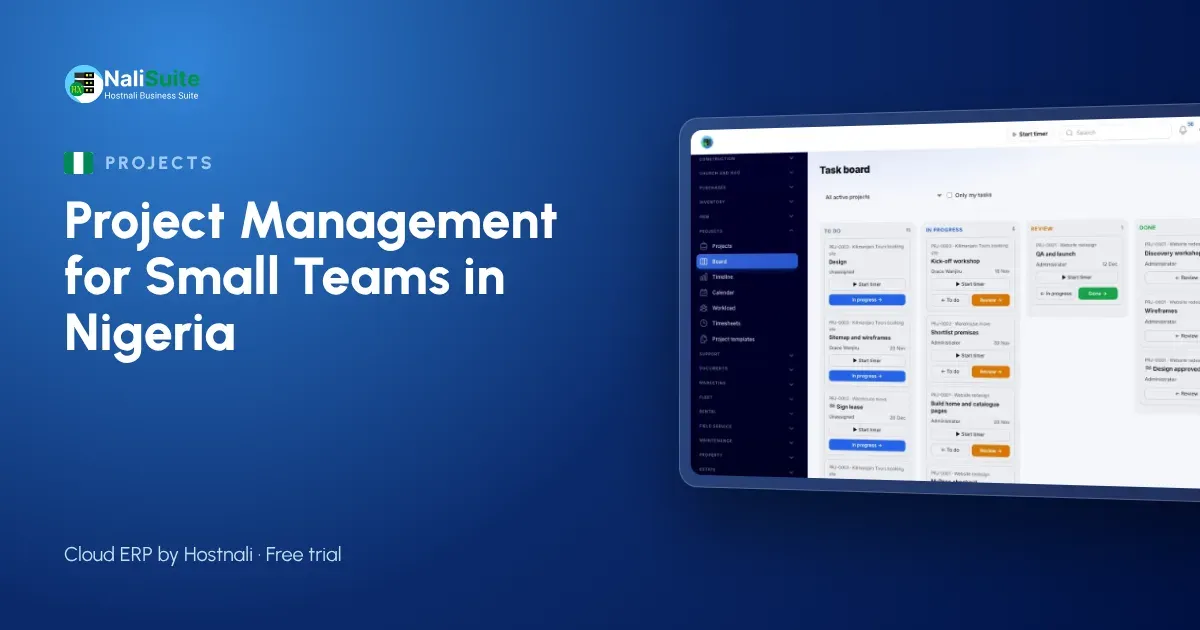
A task without a name is nobody’s job. In NaliSuite Projects each task has an assignee, a due date and an optional checklist, so “design homepage” can carry the smaller steps inside it.
Choose the right view
Use the board for daily work, the timeline when you need to see how stages depend on each other, and the calendar for client meetings and handovers. Everyone works from the same data; they just look at it differently.
Agree how you will bill
Decide at the start whether the job is fixed price, paid in milestones or billed on time. Projects handles all three, which saves an argument at the end.
A worked example: a digital agency in Yaba
Consider a nine-person agency in Yaba, Lagos. It has signed a fintech start-up in Victoria Island for a new website and a three-month social media retainer, and a fashion label in Abuja for a product launch campaign.
Here is how the agency sets the work up:
- Website project from a template the agency uses for every site: discovery, wireframes, design, build, content, testing and launch. Three milestones are set: deposit, design approval and go-live.
- Social retainer as a separate project billed monthly on approved time, with a cap agreed with the client.
- Launch campaign for the Abuja client with a fixed price and a hard launch date on the calendar.
During the website build the client asks for two extra landing pages. The developer logs the hours against a task called “Additional landing pages”, the account manager approves them on Friday, and they appear on the next milestone invoice instead of being absorbed.
Invoices go out from NaliSuite Invoicing with online payment by card or bank transfer through the agency’s payment provider. For businesses that fall under the new e-invoicing rules, NaliSuite provides the FIRS e-invoicing connection; the business registers and obtains its own credentials.
Timesheets without the groaning
Staff often resist timesheets because they feel like surveillance. Present them as protection instead: logged time is how the agency gets paid for extra work and how managers see who is overloaded.
Make it painless:
- Use the timer on the task, so logging time is one click.
- Ask for time to be logged daily, not reconstructed on Friday.
- Approve time weekly so mistakes are caught while people still remember.
Seeing profit per project
When the Abuja campaign is delivered, the agency compares what it billed with the cost of the time its staff logged. Profitability in Projects shows this once time is approved. After a quarter, the owner can see that retainers are steady earners while fixed-price campaigns often run over, and price the next pitch accordingly.
The workload view helps too. If the lead designer is booked at well over a full week while a junior has gaps, tasks can be moved before anyone burns out.
Clients who update themselves
Projects can appear in the customer portal, where clients follow progress, see their invoices and download shared files. A client in Abuja who can check the status at midnight is less likely to call the account manager at 7am.
Remember that staff and client contact details are personal data under the Nigeria Data Protection Act. Give portal access only to the client’s own people and restrict internal projects to the staff who need them.
Frequently asked questions
Is this only for agencies?
No. Contractors, consultants, training providers and event planners use the same approach. Anything with tasks, deadlines and a client fits.
Can we bill clients for revisions?
Yes. Log the time against the project, approve it, and it becomes invoice lines at the rates you set.
Can different clients see each other’s projects?
No. Each portal user only sees records for their own organisation.
Will my team need training?
Very little. The board works like sticky notes on a wall, and most teams are comfortable after a week of use.
Try NaliSuite
Projects, timesheets, invoicing and the customer portal come with every NaliSuite plan, from ₦3,125 a month. Pick a plan on the plans page and run your next client job in it during the free trial.