 NGN
 KES - Kenya
 UGX - Uganda
 TZS - Tanzania
 RWF - Rwanda
 ZAR - South Africa
 USD - Zimbabwe
 GHS - Ghana
 ETB - Ethiopia
 ZMW - Zambia
 USD - International

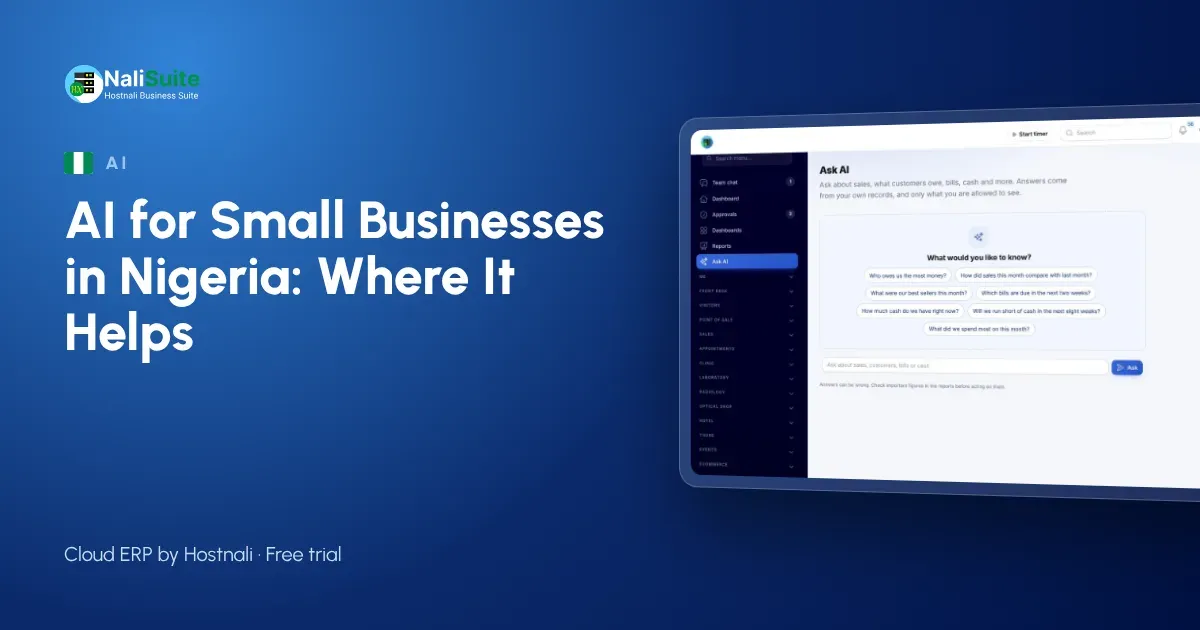
Nigerian entrepreneurs are quick to try new tools, and AI is no exception. But after the first experiments, many owners in Lagos, Abuja and Port Harcourt end up asking the same thing: is this saving me time, or just giving me something new to check?
This guide starts with where AI does not help, because knowing the limits makes it easier to use the tool where it does.
Where AI does not help (yet)
It is not your accountant. AI can read a supplier invoice or answer a question from your books, but it does not replace professional judgement on tax, PAYE or company filings. Keep your accountant.
It cannot fix messy records. If half your sales are in a notebook and the other half in a spreadsheet, an AI assistant has nothing reliable to answer from. Get your sales, invoices and bills into one system first.
It should not act without you. Any tool that posts entries, sends messages or pays suppliers without a person checking is a risk. Look for tools that prepare work for you to confirm.
It is not free. Every AI request has a cost somewhere. Know who pays it and how much.
Where AI does help
With those limits in mind, there are three jobs where AI earns its place in a small Nigerian business.
1. Reading supplier bills and receipts
Typing bills into the books is slow and error-prone. Document AI reads PDF supplier invoices and phone photos of receipts: supplier, invoice number, dates, lines, VAT and totals. It matches the supplier by TIN or name, or adds a new one. You check what was read and save it as a draft bill or, if it is a receipt already paid, an expense.
For a business that receives fifty supplier bills a month, that is a lot of typing you no longer do, while every record is still checked by a person.
2. Getting answers from your own figures
The AI business assistant answers plain-word questions from your live sales, invoices, bills and books. “Which customers in Abuja have not paid this quarter?” or “Will we have enough cash for salaries next month?” It also shows a week-by-week cash-flow forecast with a plain-words summary.
Answers respect roles: each person only gets answers from what their role allows them to see.
3. Drafting customer support replies
If customers reach you through tickets, the assistant drafts a reply on each one for your agent to review, edit and send. Teams answering the same questions about delivery dates, payment confirmation and returns benefit most. Tickets live in the Helpdesk app.
A short example
A building materials distributor in Ibadan used to have one clerk spend most of the last week of every month typing supplier invoices from cement, rods and roofing suppliers. With Document AI, the clerk uploads each PDF or photo as it arrives and checks the result. The month-end rush is now a daily ten-minute task. The owner uses the assistant to ask which customers have the oldest unpaid invoices before he calls them.
Data protection under the NDPA
The Nigeria Data Protection Act applies when you process personal data about customers, staff and suppliers, including through AI. Before you start:
- Decide what you will use AI for, and stick to it.
- Limit access to the people who need it.
- Understand where requests are sent.
NaliSuite’s AI add-ons use your own Anthropic API key, under your own account and its terms. NaliSuite sends only what each request needs to answer it.
The cost question
Each AI add-on is a NaliSuite marketplace add-on to any plan. The AI usage is billed by Anthropic directly to your own key, so you see every request in your own account. That keeps the cost visible and in your hands, rather than hidden inside a bundle.
Getting started
- Get your records into one place first, with accounting and invoicing set up.
- Choose one use: bills, questions or support replies.
- Add the add-on, enter your Anthropic API key in Settings and use it for a month.
- Review: hours saved, errors caught, cost. Keep it or drop it.
Whoever uses it should also know what to do when an answer looks wrong: open the underlying invoice or report, correct the record if needed, and ask again. That habit keeps trust in the figures high across the team.
More on the AI features in NaliSuite.
Training your team
The people who use AI daily need a short briefing: what it is for, where its answers come from and why every result is checked. A clerk who understands that Document AI prepares a bill for them to confirm will use it carefully; one who thinks it is automatic will not.
Frequently asked questions
Can AI file my taxes?
No. It helps you keep accurate records, but filing with the tax authorities stays with you and your accountant.
What documents can Document AI read?
Supplier invoices as PDFs and photos of till receipts taken with your phone.
Can my staff see everything through the assistant?
No. Each person only gets answers from what their role allows them to see.
Try NaliSuite
Start a free trial of NaliSuite, from ₦3,125 a month, and add the AI add-ons to any plan when you are ready. See the plans.