 NGN
 KES - Kenya
 UGX - Uganda
 TZS - Tanzania
 RWF - Rwanda
 ZAR - South Africa
 USD - Zimbabwe
 GHS - Ghana
 ETB - Ethiopia
 ZMW - Zambia
 USD - International

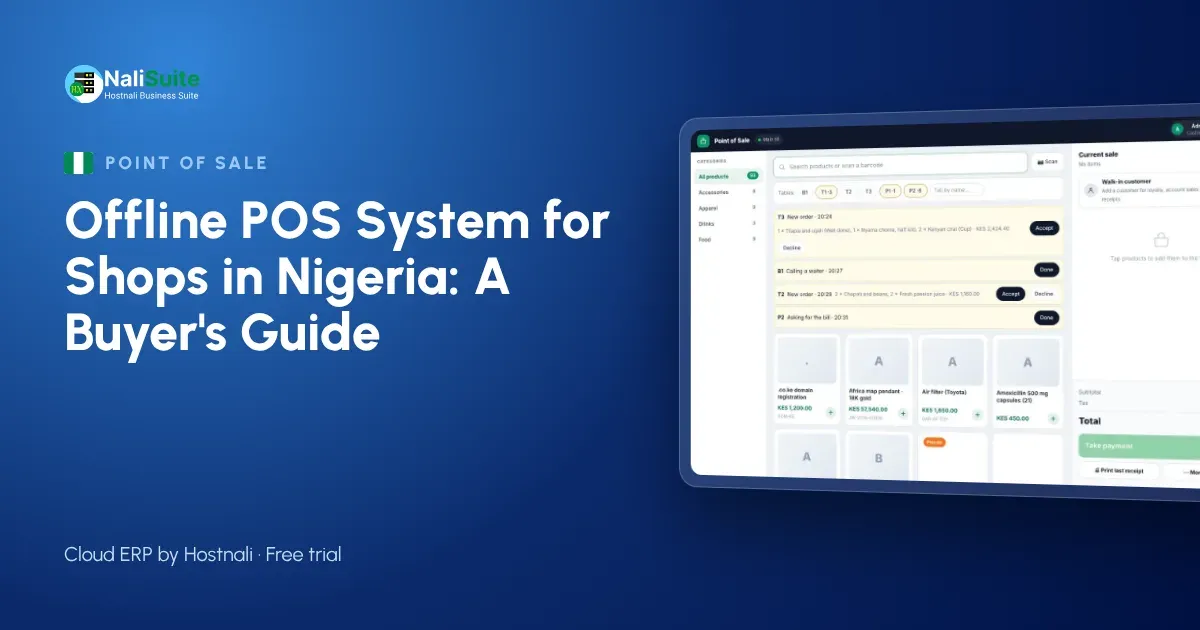
In Nigeria a shop rarely gets through a week without a power failure or a network that crawls. Generators and inverters keep the lights on, but a till that needs a live connection for every sale can still stop the queue. If you are choosing a point of sale for a supermarket, pharmacy or provision store, its offline behaviour should be near the top of your checklist.
What to look for when you choose a till
- True offline mode. Ask the supplier to show you the till selling with the router unplugged, then reconnecting.
- Safe sync. Sales should upload in order, without duplicates, even after a long outage.
- Your hardware. It should run on the phones, tablets or laptops you already have, with standard thermal printers and barcode scanners.
- Local payments. Cash, card and the way your customers actually pay, with split payments.
- Stock that follows sales. Every sale should reduce stock in the right shop or warehouse.
- Reports you can trust. End-of-day takings by payment method, by cashier and by till.
Power, network and payments in Nigeria
Most shops switch between grid power, a generator and an inverter several times a day. Every switch is a chance for the router to restart or the network to drop. Card terminals and bank transfers add their own delays: customers often show a transfer screen and wait while you check that the money has landed.
A till built for these conditions keeps ringing up sales without a connection, records how each sale was paid, and sorts out the rest when the network returns. It also lets you split a payment, because customers here often pay part by transfer and part in cash.
Receipts customers can keep
A till should print on standard ESC/POS thermal printers, which are cheap and easy to replace. Many customers now prefer a receipt by SMS or WhatsApp that they cannot lose. While offline, a printed receipt works immediately; messages are sent as soon as the device has signal again.
Digital receipts also give you something valuable: the customer’s number, which you can use for loyalty points and offers if they agree.
Example: a provision store in Ibadan
Picture a provision store in Ibadan with one till and a generator out back. The grid goes off at seven in the evening, the generator takes a minute to start, and the router takes another two to reconnect. Customers do not wait for routers. With an offline till, the cashier keeps scanning, takes cash and card, and records transfers to confirm later. When the connection is back, the evening’s sales upload, stock drops to the right levels and the transfers are matched in the books.
The owner no longer has to rebuild the evening from a notebook, which is where most stock and cash differences used to start.
Offline point of sale, explained
An offline point of sale is a cloud till that keeps working without the internet. Each sale is saved on the device itself, the receipt prints or is queued for sending, and stock is reduced locally. When the connection returns, the till uploads the stored sales in the order they happened, and your cloud records, reports and stock levels catch up.
The key word is in order. A good till never loses a sale and never counts one twice, even if the connection drops in the middle of an upload.
Setting up an offline till in a day
- Add your products or import them from a spreadsheet, with prices, barcodes and opening stock.
- Open the point of sale on the device you will use and download the product list.
- Connect a thermal printer and a barcode scanner, or use the phone camera to scan.
- Open a till session with a cash float and make a test sale.
- Switch the internet off, sell again, switch it back on and watch the sale sync.
That last test is the one that matters. Do it before your first busy day.
Hardware and power tips for Nigerian shops
Put the router, the till device and the receipt printer on the same inverter circuit, so a generator switch-over does not restart them one by one. A laptop or tablet with a good battery is a better till than a desktop for the same reason.
For payments, many shops already have a bank POS terminal from their bank. Keep using it for cards, and record the card or transfer on the till so each sale shows how it was paid. At the end of the day, compare the till’s card and transfer totals with the terminal report and the bank alert history. Differences are easier to find the same evening than at month-end, when hundreds of alerts have piled up.
The NaliSuite till records every payment method on the sale; more on card and online payments here.
Frequently asked questions
Can the till record bank transfers while offline?
Yes. The cashier records the sale as paid by transfer, and you confirm the transfer against your bank statement once you are online. NaliSuite’s bank reconciliation helps you match them.
Do I need special hardware?
No. NaliSuite’s till runs in a browser on a phone, tablet or laptop, with standard ESC/POS thermal printers and USB barcode scanners; a phone camera can scan barcodes too.
Can I see sales from home?
Yes, as soon as the tills are online. Sales made offline appear when the till syncs.
Try NaliSuite
Every NaliSuite plan includes the offline point of sale, stock, invoicing and the books, from ₦3,125 a month. Try it free with your own products and test it with the internet switched off. Compare plans.