 NGN
 KES - Kenya
 UGX - Uganda
 TZS - Tanzania
 RWF - Rwanda
 ZAR - South Africa
 USD - Zimbabwe
 GHS - Ghana
 ETB - Ethiopia
 ZMW - Zambia
 USD - International

Lagos traffic alone can turn attendance into guesswork. When staff arrive at different sites at different times, a paper register at the gate tells you very little about who worked a full day.
This guide explains what to track, how to set it up on staff phones and how it connects to payroll, with an example from a logistics company in Port Harcourt.
What changed for one business
A logistics company in Port Harcourt with 35 drivers and warehouse staff used a sign-in sheet that the security guard filled in. Drivers who started from a client’s yard never appeared on it, so their attendance was rebuilt from memory every month. With check-in on the phone and a geofence for each depot and client site, the transport manager sees who is where by 8am and payroll uses the same record.
Leave and attendance in Nigeria: what to keep in mind
Leave entitlements in Nigeria are set by the Labour Act, your staff handbook and individual contracts, so configure leave types to match what you have promised and check your employment law for anything you are unsure of. Attendance then feeds pay, and pay feeds PAYE to your State Internal Revenue Service, pension and NHF. Businesses with staff in more than one state can keep one leave policy and still report each employee’s PAYE to the right state.
Questions to answer before you start
- Which leave types do your contracts in Nigeria promise, and how many days each?
- Does leave build up month by month or arrive at the start of the year?
- Can unused days be carried over, and is there a limit?
- Who approves leave for each team, and who covers when they are away?
- Which sites need a geofence, and what are the working hours at each?
- Which staff are paid by the day or hour, so attendance changes their pay?
Approvals without the paperwork
Each request in the employee app carries the dates, the reason, the remaining balance and the approver’s decision with a timestamp. Supervisors approve from their own phones, so leave no longer waits for someone to be back in the office, and HR stops being the middle person for every message.
Attendance with geofencing
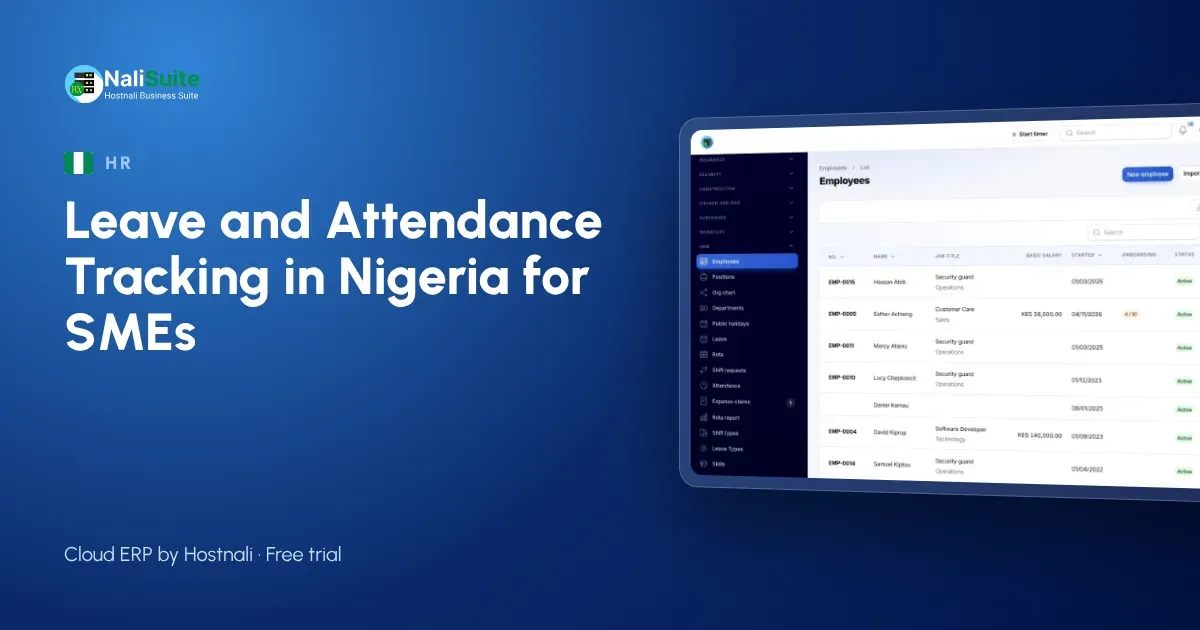
Geofencing means sign-in only counts when the phone is inside an area you draw around the shop, office, warehouse or client site. Staff tap to sign in when they arrive and sign out when they leave. Late arrivals are flagged against the start time you set, and supervisors see who is in without walking the floor. Biometric records can be imported if you already use a fingerprint device.
Getting buy-in
Introduce the app as a benefit, not a control: no more waiting for a supervisor to sign a leave form, a clear balance on the phone, and pay slips without a trip to the office. Location is captured only when someone signs in or out.
Common mistakes to avoid
- Starting without starting balances. If staff already have leave days owed, load them on day one or the first month’s balances will be wrong.
- One approver for everyone. When the only approver travels, requests pile up. Give each team its own approver and a backup.
- Geofences that are too small. A circle the size of the building rejects sign-ins from the car park; draw it generously.
- Ignoring late flags. If nobody looks at them, staff learn they do not matter. Review them weekly with team leads.
- Paying overtime nobody approved. Make overtime approval part of the routine before payroll runs.
What to track
Before you choose software, agree what you need to record:
- Leave types: annual, sick, compassionate, maternity and paternity, unpaid, study leave and any others in your contracts.
- Balances: how many days each person has, how they build up and whether unused days carry over.
- Approvals: who approves whom, and who covers when the approver is away.
- Attendance: sign-in and sign-out times, the place, and late arrivals.
- Overtime: hours beyond the normal day, approved before they reach payroll.
Another example: Lagos
Take a fashion retailer with two stores in Lagos with about 22 staff. Before going digital, the supervisor in Lagos kept leave on a wall calendar and paid overtime from memory. In the first month on NaliSuite, the leave calendar showed two clashes before they happened, and overtime was paid by bank transfer only for hours that had been approved.
Month-end without the chase
At the end of the month, the payroll officer opens the pay run and the days are already there: leave taken, absences and approved overtime. statutory payroll applies PAYE, pension and NHF, produces payout files for the bank and sends pay slips. You can also try the PAYE calculator for a single salary.
Reports worth checking monthly
- Leave taken and remaining per employee, so nobody reaches December with a month of leave owed.
- Absence and lateness per team, to spot a pattern early.
- Overtime hours per person and per site, against your budget.
- Upcoming leave for the next four weeks, so you can plan cover.
How to switch from paper
Start with one team rather than the whole company. Load their leave balances, set their geofence and run both systems side by side for two weeks. When the app’s records match reality, add the next team. Most firms have everyone on it within a month.
Frequently asked questions
Can one leave policy cover staff in Lagos and Abuja?
Yes. Leave types and approvers are set once; employees in different branches use the same app and their payroll reports follow their own state.
What if a driver has no smartphone?
A supervisor can record attendance for them, or they can check in on a shared device at the depot.
How many leave days should I give?
That depends on the labour law and your contracts. Check your employment law and contracts, then set the leave types in NaliSuite to match.
Try NaliSuite
Leave, attendance, HR and payroll are part of every NaliSuite plan, from ₦3,125 a month. Start a free trial and set up your first team this week, or compare the plans.